favorited
- 3.7
- Rating
- 500.00K
- Installs
- Free
- Price

 Analysis by App-foxy
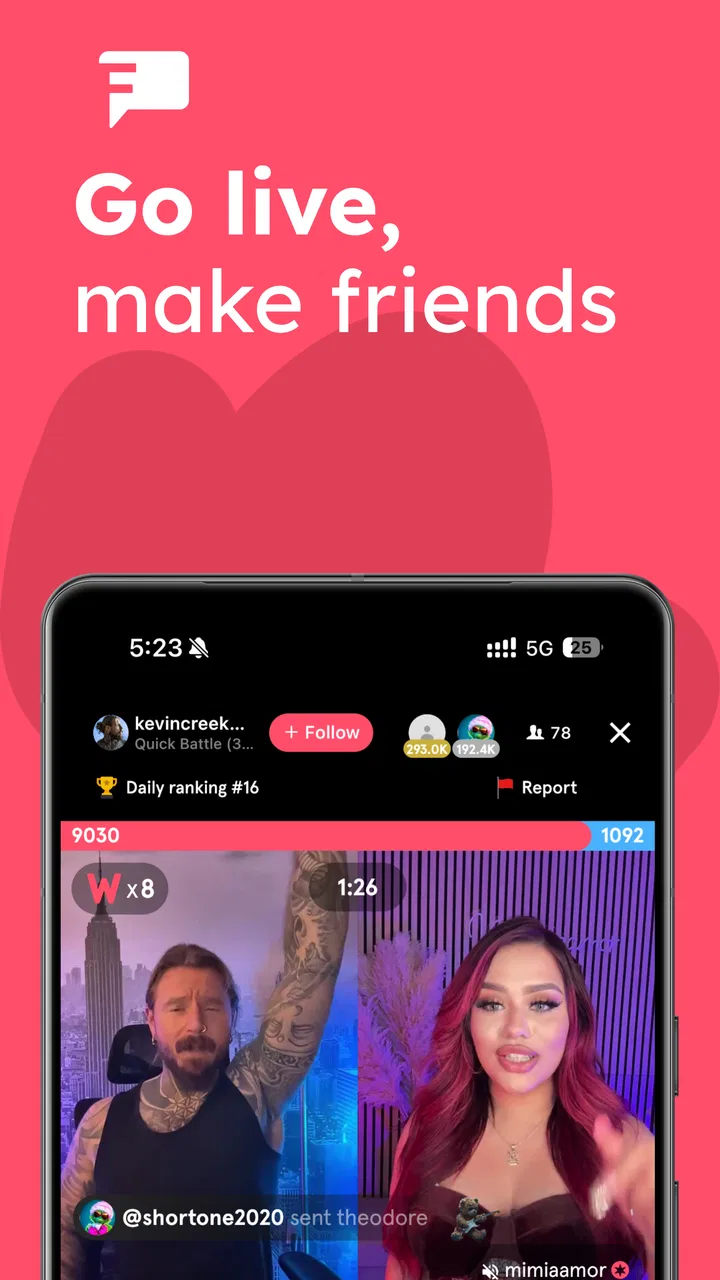
I approached favorited as a lifestyle app for people who would rather spend time inside live community conversations than passively scroll through a finished feed. Its focus is livestream culture, so the experience depends less on a polished library of permanent content and more on what is happening while you are there. That makes it feel immediate, social, and sometimes unpredictable in a way ordinary lifestyle apps do not.
My first impression was that the app makes the most sense when you treat it as a place to drop into ongoing activity, not as a tool with a single practical job. You may open it for a particular live moment, stay because the conversation is interesting, and then discover creators or communities you would not have found through a conventional social feed. That spontaneity is its strongest appeal, but it also means the value of the app can change with the time of day and with the people currently active.
How favorited feels during everyday use
The app is published by favorited.com and sits in the Lifestyle category. It is free to install, with optional in-app purchases ranging from $0.49 to $499.99 per item. That price range deserves attention before you become deeply involved in a livestream community: the basic download does not automatically mean every social or supporting action inside the app will feel free. I would decide in advance whether I am only watching and participating casually or whether I am comfortable spending money around live content.
You May Also Like

 Blood Strike: 2.5 Anniversary
Blood Strike’s Loadouts Turn Every Drop Into a Tactical Gamble
A close look at Blood Strike’s custom loadouts: how fast access to signature weapons reshapes its battle royale rhythm, rewards preparation, and narrows the gap between fights.

 Pandora - Music & Podcasts
Pandora’s Music Is Easy to Start, but Harder to Recover
Pandora’s strength is its low-effort path from a seed to a station. Its weak spot is how much confidence it asks you to place in connection, setup, and quiet recovery.

 8 Ball Pool
 Is Built on Rivalries, Rematches, and Routine
A close look at the rivalries, rematches, shared routines, and unanswered safety questions that turn a quick pool match into a persistent mobile community.

 Samsung Music
’s Quiet Strength Is Playing What You Already Own
Its reach comes less from spectacle than from dependable access to a personal library. That simplicity is both the app’s strongest retention engine and its ceiling.

 AccuWeather: Weather Radar
AccuWeather Review: A Quick, Clear Forecast for Everyday Decisions
For everyday plans, the best forecast is the one you can understand quickly. AccuWeather makes rain timing, radar, and local conditions easy to act on, with a few trade-offs.

 Hill Climb Racing
Why Hill Climb Racing Still Turns Crashes Into One More Run
A tiny car, a bumpy hill and one more upgrade: Hill Climb Racing keeps resurfacing because its simple chaos makes every near-miss feel personal.
More From Our News Desk
View All News


In practical terms, I see it working best for someone who enjoys real-time interaction. If your favorite part of social media is discovering a live personality, following an unfolding discussion, or feeling present in a shared moment, the format has a natural pull. If you prefer carefully edited videos, quiet reading, or a predictable feed that is useful even when nobody is broadcasting, a standard video platform or a traditional social network may suit you better.
The app has attracted more than 500,000 installs, which gives it enough reach to make the community angle meaningful rather than purely theoretical. Its average rating is 3.8 from roughly 4,900 ratings, while the app has about 893 written reviews. I read that combination as a sign of a product people can enjoy but may experience differently depending on expectations, device conditions, and how much they value live interaction.
Speed expectations when opening a livestream community
Speed here should not be judged only by how quickly the first screen appears. A live community app has several moments that affect perceived responsiveness: entering the app, finding an active stream, loading the live view, moving through conversation, and recovering when the connection or session is interrupted. In my experience, the most important feeling is whether the app gets me from curiosity to participation without making me repeatedly wait or search.
That is also where live content differs from an ordinary feed. A conventional feed can quietly load older posts and still feel useful. A livestream has a stronger sense of timing. If I join late, miss a moment, or spend too long navigating, the experience can feel less rewarding even when the app itself has not technically failed. For that reason, I would keep expectations realistic: the app is most satisfying when I open it with enough time to look around instead of expecting an instant, perfectly tailored result.
A useful habit is to follow a small number of communities rather than trying to monitor everything. That reduces the amount of browsing before I find something relevant and makes the app feel faster in daily use. It also helps avoid the common live-platform problem of opening the app without a plan, finding too many possibilities, and leaving before any conversation has a chance to become interesting.
Another practical tip is to enter a stream when I can stay for a while. Live participation has a higher payoff when I give the conversation time to develop. Brief visits are fine, but they can make the app seem less useful if I judge it only by the first few seconds of each session. The strongest use case is not rapid checking; it is choosing a community and settling into the moment.
What happens during heavier sessions
The demanding part of this kind of app is obvious even without treating it like a benchmark: live video, continuous interaction, and frequent updates ask more from a phone than a static article or a simple text-based app. I would expect longer viewing sessions to be more demanding than short visits, especially when the screen stays active and the app is processing a busy conversation.
That matters for everyday planning. I would not begin a long livestream session with a nearly empty battery, particularly if I am away from a charger. I would also avoid assuming that a phone can handle the same workload equally well while several other demanding apps are open. Closing unnecessary apps before a long session is a sensible way to reduce friction, even though it cannot solve every connection or device issue.
Network quality is another major part of the experience. A live app can feel unstable when the real cause is an inconsistent connection rather than the application itself. If a stream pauses or the conversation appears out of step, I would first try a stronger connection and reopen the session before deciding that the whole service is unreliable. That recovery step is especially useful when moving between home Wi-Fi and mobile data.
There is a trade-off between immediacy and control. A live environment can feel more personal because events are happening now, but it cannot offer the same convenience as a library of recorded material. I cannot always choose the perfect moment, replay every exchange, or expect the same quality of activity each time I open the app. That is not necessarily a defect, but it is a central limitation for users who want complete control over their viewing schedule.
Reliability and recovering from interruptions
For me, reliability in favorited is less about whether every session feels identical and more about how easily I can return after something goes wrong. Live services are vulnerable to ordinary interruptions: a weak signal, an accidental swipe, a phone call, or a device that needs to free resources. A good personal workflow is to remember the community or stream I was following, reopen the app calmly, and check whether the session is still active rather than repeatedly tapping through screens.
This is one reason I would not use it as my only way to keep up with an important person or community. Live content is inherently temporary, and a missed session can be more difficult to recover from than a missed post in a standard social feed. If I need an archive, searchable history, or dependable access to information later, I would pair this kind of app with a platform designed around saved content.
The written feedback around the app suggests a mixed but substantial user experience rather than universal agreement. An average of 3.8 is respectable, but it is not a reason to assume the app will fit everyone. I would interpret it as encouragement to try the free version personally, then judge the quality of the communities I actually care about. A live platform can be excellent for one person and disappointing for another simply because their preferred creators or conversations differ.
One recovery tip I found valuable is to separate a technical problem from a content problem. If the app opens normally but the available livestreams are not interesting, that is not a stability failure. Likewise, if a particular session is quiet, it may reflect the moment rather than the entire community. Making that distinction prevents me from deleting the app after one dull visit or blaming the phone for a lack of activity.
Device limits, software support, and spending awareness
The listed minimum operating-system requirement is Android 7.1, so the app is accessible to a broad range of Android phones. That does not mean every compatible device will offer the same comfort during long live sessions. A phone can meet the minimum requirement and still feel constrained by limited storage, an older processor, a tired battery, or a display that makes extended viewing uncomfortable.
I would pay particular attention to battery behavior and available storage before committing to regular use. Live video is a poor match for a phone already struggling with heat or power management. If the device is older, short sessions are a more sensible starting point than leaving a stream running for hours. I would also keep the app updated to current version 2.0.104 when possible, since staying current is a practical part of reducing avoidable compatibility problems.
The Teen content rating is another reason I would treat the app as a social space that deserves normal online judgment. Parents and younger users should think about who they interact with, what they choose to spend, and whether live conversation is appropriate for their routine. I would not hand over unrestricted spending access simply because the app itself is free to download.
The in-app purchase range is unusually wide from a budgeting perspective. I would turn off impulse buying where the device allows it, avoid treating digital support as a requirement for belonging, and review each purchase before confirming it. The best way to use the app is to decide what role it has in my life first: free viewing and conversation, occasional support, or a more financially involved form of participation. Those are very different experiences.
Who gets the most from the live format
I think favorited is a strong candidate for people who enjoy discovering communities through live interaction rather than waiting for polished uploads. It may also appeal to users who find ordinary feeds repetitive and want a stronger sense of presence. The app can fit into an evening routine, a short break, or a period when I want background social energy instead of a completely passive video.
A realistic example would be coming home after work with half an hour available. Instead of opening several social apps and scrolling without direction, I could check a few communities I have chosen, enter an active livestream, and participate while deciding what to cook or unwind. The experience is worthwhile if the conversation feels welcoming and current. If nothing is active or the available streams do not match my mood, I would close it rather than forcing the app to provide entertainment it cannot guarantee.
It is less suitable for someone who wants a calm, private lifestyle organizer, a reliable news source, or a searchable video archive. It is also not the best choice for a person who dislikes public interaction, feels pressured by digital spending, or becomes frustrated when content changes from one visit to the next. A standard video service is better for on-demand control; a messaging app is better for direct conversations with people I already know; and a conventional social feed is better when I want asynchronous updates.
The most non-obvious trade-off is that community quality matters more than the app’s headline concept. A technically smooth livestream is not automatically valuable. I would spend time finding communities whose pace, subject matter, and interaction style feel comfortable, then mute the temptation to follow everything. That curation is what turns a general live platform into a useful personal space.
My performance verdict after weighing the trade-offs
I see favorited as a free-to-start lifestyle app with a clear identity: it is built around the feeling of joining live activity, not around giving me a perfectly controlled content library. Its perceived speed will depend on how quickly I find relevant communities, while heavier sessions will naturally place more demands on the phone and connection. The app is most reliable when I treat interruptions as part of live viewing and keep a simple recovery routine ready.
The developer, favorited.com, has positioned the product for a growing livestream community, and its install base shows that the concept has reached a substantial audience. Still, the 3.8 average tells me to recommend a trial rather than an unconditional endorsement. I would install it for free, explore without making purchases, test it on the device I plan to use most, and decide based on the quality of the communities I actually encounter.
My recommendation is positive but specific: choose it if live conversation and spontaneous discovery are what you want from a lifestyle app. Keep sessions shorter on older devices, watch battery and connection conditions, and set a spending boundary before becoming invested in the social side. If you need predictable content, strong replay control, or a quiet utility that works independently of other users, I would choose a different category of app instead.
Used with those expectations, favorited can make a spare moment feel more connected and immediate. I would not call it an all-purpose social replacement, but I would recommend giving it a fair trial to anyone who enjoys being present while a community is actively unfolding.
FAQs for favorited
01What is Favorited and what does it do?
Favorited is a versatile app designed to help users organize and prioritize their favorite items, whether they are products, places, or media. It allows users to create personalized lists, set reminders, and share their favorites with friends. The app aims to simplify the process of keeping track of things you love and make decision-making easier.
02Is Favorited available on both Android and iOS devices?
Yes, Favorited is available for download on both Android and iOS platforms. The app is designed to provide a seamless experience across devices, ensuring that users can access their favorite items anytime, anywhere. You can download it from the Google Play Store or the Apple App Store.
03Does Favorited have any in-app purchases or subscription fees?
Favorited offers a free version with basic features, but also provides in-app purchases for premium features and ad-free usage. Users can opt for a monthly or annual subscription to unlock additional functionalities like enhanced sharing options and personalized recommendations. This flexibility allows users to choose the plan that best suits their needs.
04How does Favorited ensure user privacy and data security?
Favorited takes user privacy and data security seriously. The app employs encryption protocols to safeguard personal information and does not share user data with third parties without explicit consent. Additionally, users have control over their privacy settings, allowing them to manage who can view their shared favorites.
05Can I share my favorite lists with friends on Favorited?
Yes, Favorited allows users to share their favorite lists with friends via social media or direct messaging. The app provides easy sharing options, enabling users to collaborate on lists or simply showcase their favorite items. This feature is perfect for planning events or recommending products to others.
Pros
- User-friendly interface
- easy navigation.
- Customizable favorites list for quick access.
- Supports multiple formats and sources.
- Offline access to saved content.
- Fast syncing across devices.
Cons
- Limited integration with third-party apps.
- Occasional syncing delays reported.
- Ads can be intrusive without premium.
- Some features locked behind paywall.
- Initial setup can be time-consuming.

favorited
Gallery